Help Guides
Surveys
Getting Responses
Managing Responses
You can make sure urgent feedback gets dealt with by the right people by using feedback status in CustomerSure.
Feedback can now be in one of three states:
- Open
- Action Required
- Closed
This gives you a clear way to manage follow-up, ownership, and progress — without turning feedback into a ticketing system.
This page explains what each status means, how to change status, how notes and notifications work, and how to use status effectively in day-to-day operations.
The three feedback statuses
Open
When customer feedback arrives, it’s automatically marked as open.
Depending on how your team works, ‘open’ means something like:
- Feedback has been seen but not yet triaged
- You’re still deciding whether follow-up is needed
Most teams treat Open as a short-lived state, and you can set up workflow rules to (for example) move feedback which is obviously ‘fine’ (i.e. all positive scores, no comments) directly to ‘closed’ without a manual review.
Action Required
Action Required means someone needs to do something in response to this feedback.
This could include:
- Contacting the customer
- Investigating an issue
- Escalating internally
- Making a decision (refund, goodwill gesture, safeguarding step, etc.)
If feedback would make you uncomfortable leaving it unattended, it probably belongs in Action Required.
Closed
Closed means:
- Any required follow-up has been completed, or
- No follow-up was needed and you’re satisfied nothing further is required
Closed feedback is not hidden or deleted — it remains fully searchable, reportable, and auditable.
Changing feedback status
You can change the status of feedback in two places:
- From the feedback list
- From within the feedback detail view
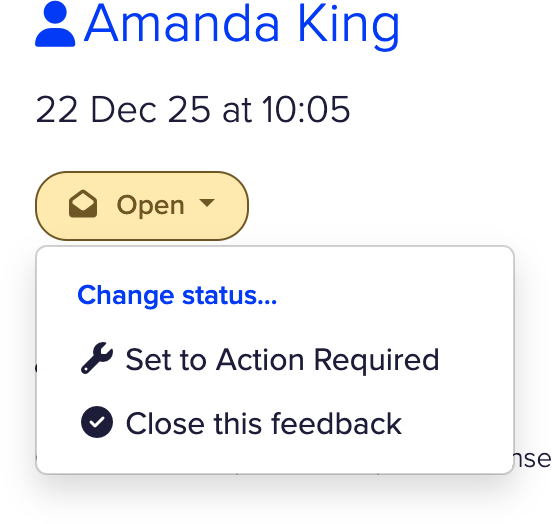
Select Change status, then choose:
- Open
- Action Required
- Closed
Status buttons are colour-coded so Open and Action Required stand out and are easy to scan for, while Closed remains visually quieter.
Adding notes when changing status
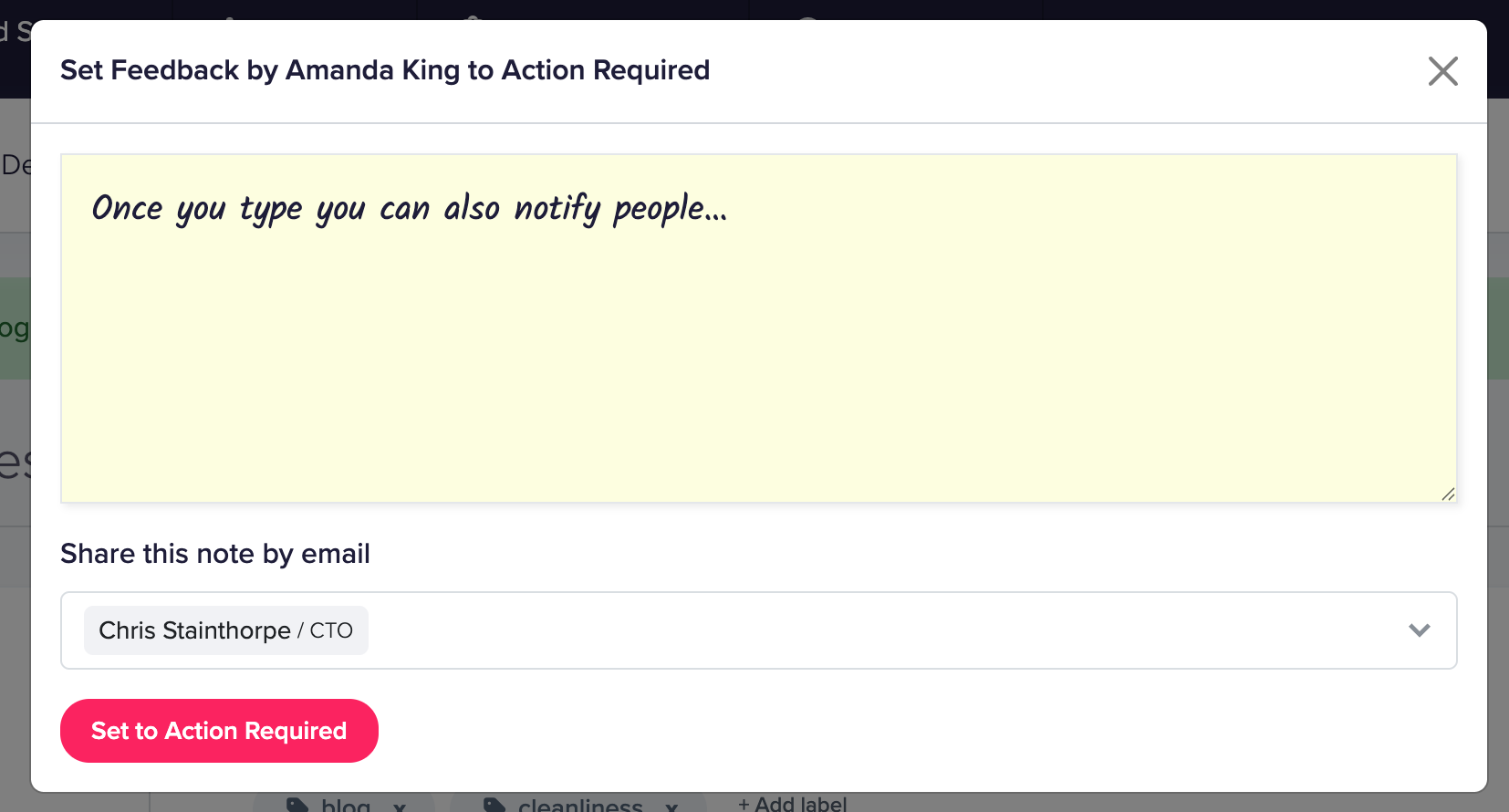
Every status change allows you to add an optional internal note.
Notes are useful for:
- Explaining why status changed
- Recording what action is needed
- Logging what was done and when
- Handovers between team members
Notes added during status changes appear in the feedback timeline alongside replies and other notes.
They are internal only and are never shown to customers.
Sharing notes by email
When changing status, you can optionally email a copy of your note to one or more members of your team.
This is useful when:
- Assigning or escalating work
- Notifying a manager or specialist
- Keeping non-login stakeholders informed
Email recipients do not need a CustomerSure login.
Filtering by status
You can filter feedback by status using the Status filter.
This makes it easy to:
- See all feedback that needs attention
- Review outstanding actions
Status filtering works alongside all other filters (date, labels, segments, sites, teams, sentiment).
Reporting and visibility
Feedback status is reflected across the platform:
- Status is visible in feedback lists and detail views
- Label reports show counts broken down by status
This allows you to answer questions like:
- How much feedback currently requires action?
- Are complaints being closed promptly?
- Which labels most often lead to Action Required?
How to use feedback status effectively
A few practical guidelines we recommend:
- Use notes, so it’s easy to audit and understand what happened at a later date.
- Don’t leave feedback in Open indefinitely — it should be a temporary state
Feedback status is designed to support closed-loop feedback.
In summary
- Feedback has three states: Open, Action Required, Closed
- Status allows you to manage how feedback gets followed-up on
- Notes and optional email notifications support collaboration
If you’d like help agreeing internal conventions for using feedback status, just get in touch.