Help Guides
Surveys
Reporting
Getting Responses
Managing Responses
Integrations
To collect feedback from your customers, create a survey and add some questions to it.
Surveys can be sent via any channel: Email, SMS, manual links, or as web/app widgets.
Create a survey
First, head to “Manage Surveys”, then “New Survey”.

Before you start adding questions to the survey:
- Give the survey a name. This is never shown to customers, it’s how you’ll find the survey again.
- Put the survey in a folder. Folders are how you organise your surveys. Try to avoid big, general folders like ‘all surveys’, as this will make reporting and admin harder for you.
You can optionally:
- Give the survey a customer-facing title: This will appear as the title at the top of the survey when customers complete it.
- Set up business units for reporting: If all the answers to this survey will always apply to the same business unit (i.e. team, site, brand), you can configure that here. Business units are used in your reporting. If different answers will apply to different business units, leave this for now.
Learn more about reporting segments.
When you click Create Survey, we’ll create a simple, default, 2-question NPS survey for you. You can edit the questions later.
Edit your survey
If you’d like to remove either of the default questions, click ‘Options’, then ‘Remove from survey’.
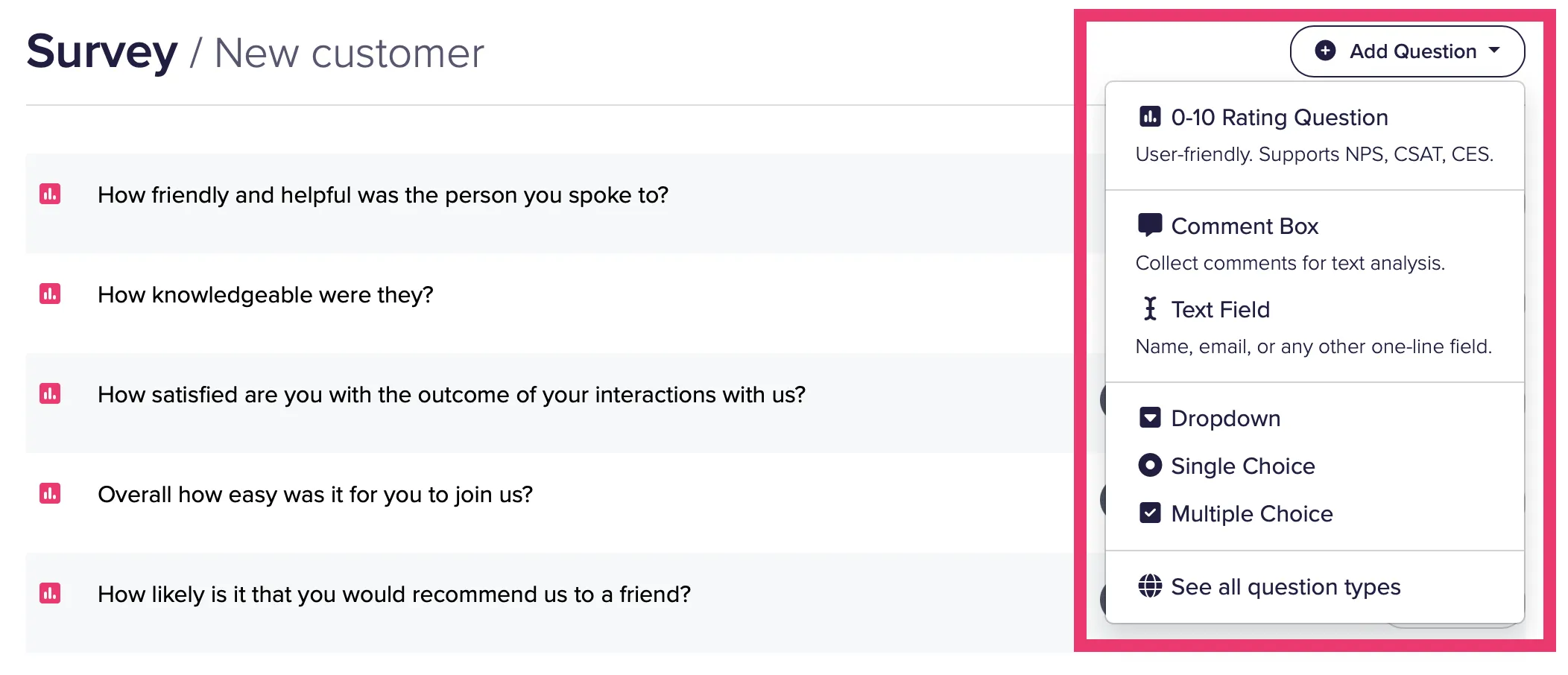
To add new questions, click the ‘+ Add Question’ button. This shows a list of the most common question types, but you can click ‘See all question types’ to add a type of question that isn’t on this list.
Next Steps
- Learn about adding and editing questions, and the different types of questions CustomerSure supports.
- Change the design and layout of your survey, including conditional branching.
- Change what happens when people complete your survey.