Help Guides
Surveys
Reporting
Getting Responses
Managing Responses
Integrations
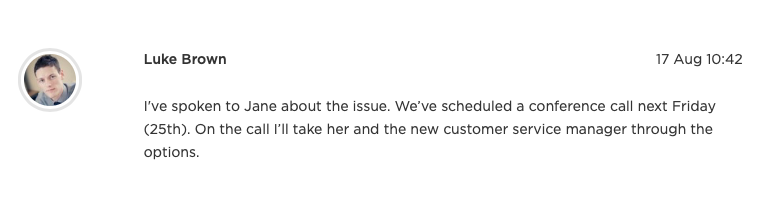
When you open an item of feedback, you can add notes. This is a helpful place to record phone calls, or to let colleagues know how you’re dealing with the feedback. Everyone at your company can see the notes, but they are never shared with your customers.
An example note…
Add a new note
- Open the feedback from any of the Feedback queues
- Click the Notes tab
- Type your note under Leave a note…
- Optionally choose colleagues under Share this note by email
- Optionally set Email me a reminder on
- Click Add Note
By default, a note on someone else’s feedback offers to email the owner. If you’re the owner, it offers the person who most recently assigned it to you. On unowned feedback, nobody is selected by default — you can still pick colleagues manually.
Notes created by other actions
Some follow-up actions can include a note as part of the action itself:
- A Handover note when you assign or reassign
- A Nudge note when you nudge the owner
- An internal note when you close feedback
- A reopening note when you reopen feedback
Those notes appear in the timeline with the action. The email for that action already includes the note, so it isn’t sent again as a separate note email.